Free Citation Generator: APA, MLA, Chicago, Harvard
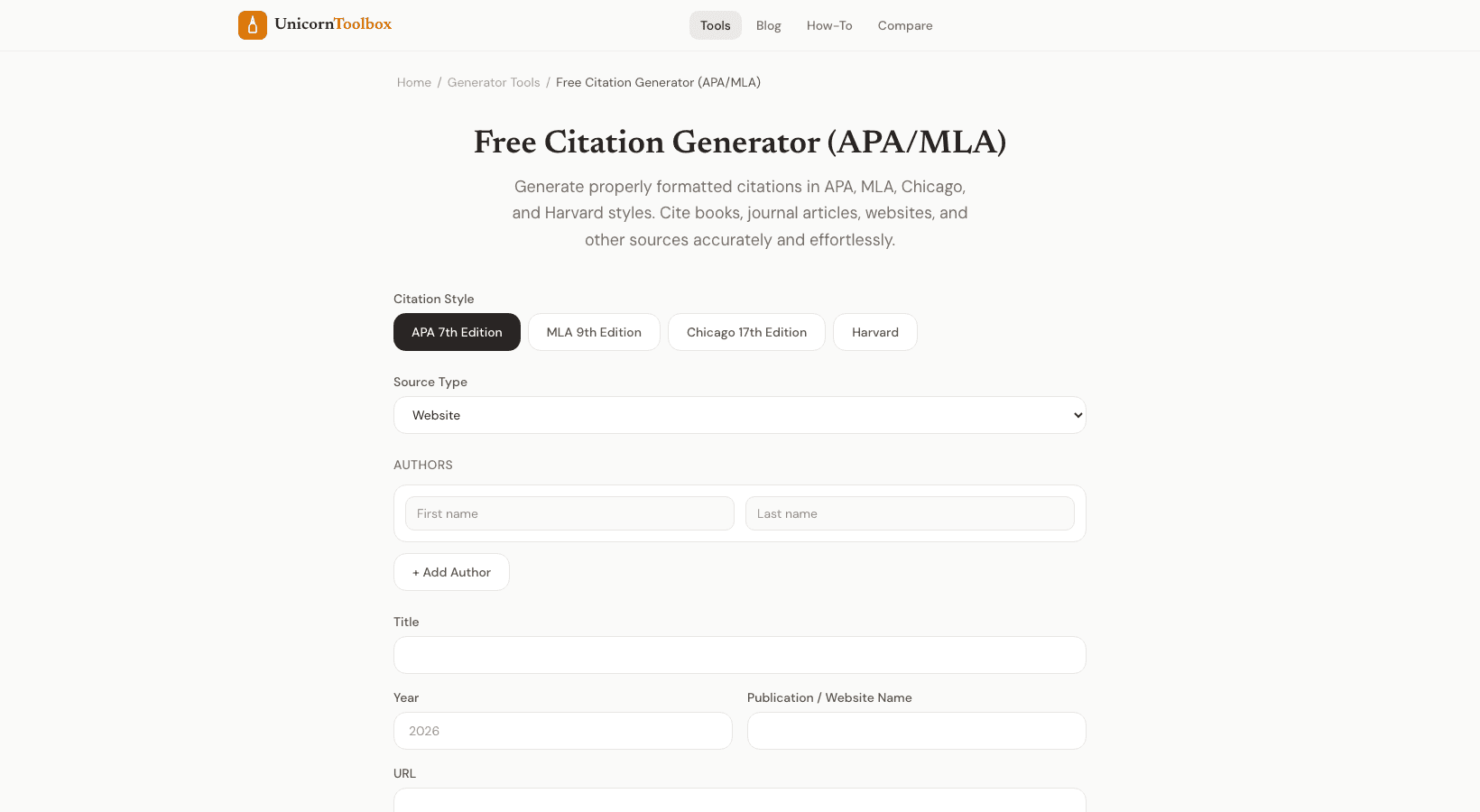
Formatting citations correctly is one of those tasks that's simple in theory but incredibly tedious in practice. Did the period go inside or outside the parentheses? Is it the author's last name first, or first name first? A citation generator handles all of this automatically so you can focus on your actual paper.
Supported Citation Styles
The tool supports the four most common academic citation formats:
- APA 7th Edition — Psychology, education, social sciences. The most commonly required style in US colleges.
- MLA 9th Edition — English, literature, humanities. If you're in an English class, this is probably what you need.
- Chicago/Turabian — History, some humanities, publishing. Comes in both notes-bibliography and author-date flavors.
- Harvard — Business, sciences, popular in UK and Australian universities.
How It Works
You've got two options. The easy way: paste a URL and the citation generator pulls the title, author, publication date, and other details automatically. It works great for websites, news articles, and any page with proper metadata.
The manual way: fill in the fields yourself. This is what you'll need for books, journal articles, and sources that don't have a URL. Enter the author, title, publication year, publisher, and whatever else your citation style requires.
Either way, the tool outputs a perfectly formatted citation that you can copy and paste directly into your bibliography. I double-check the important ones against the official style guide, but honestly, the generator gets it right almost every time.
Source Types
Different sources need different citation formats, and the tool handles all the common ones: books, journal articles, websites, newspapers, magazines, videos, podcasts, conference papers, and more. Each source type has its own set of fields so the output matches exactly what the style guide expects.
Building a Bibliography
You can generate citations one at a time and build up your bibliography as you go. The tool keeps your list organized and alphabetized (as most styles require). When you're done, copy the entire bibliography in one click.
I use this workflow: as I'm researching and finding sources, I drop each URL into the generator. By the time I'm done writing, my bibliography is basically already finished. Way better than scrambling to format 20 citations at 2 AM the night before the deadline.
A Word of Caution
No citation tool is perfect 100% of the time. Auto-detection can miss or misidentify details, especially for older or poorly-structured web pages. Always give your citations a quick once-over before submitting. But as a starting point, it beats typing everything from scratch by a mile.