Free Payslip Generator: Create Employee Pay Stubs
You don't need to buy expensive payroll software to make pay stubs for your small business or freelance work.
With a payslip generator, you can make professional-looking pay stubs that include all the right information, such as your earnings, deductions, taxes, and net pay.
You can then download them as clean PDFs.
What to Put on a Payslip A payslip needs certain information to be useful and legal.
This is how it usually breaks down: Information about the employee, such as their name, employee ID, department, and pay period Income: base salary, overtime, bonuses, and allowances.
Deductions: income tax, social security, health insurance, and retirement contributions.
Net pay is the amount you take home after all deductions.
Information about the employer, such as the name of the company, its address, and its registration details If any of these are missing, it could confuse workers or cause problems during tax season.
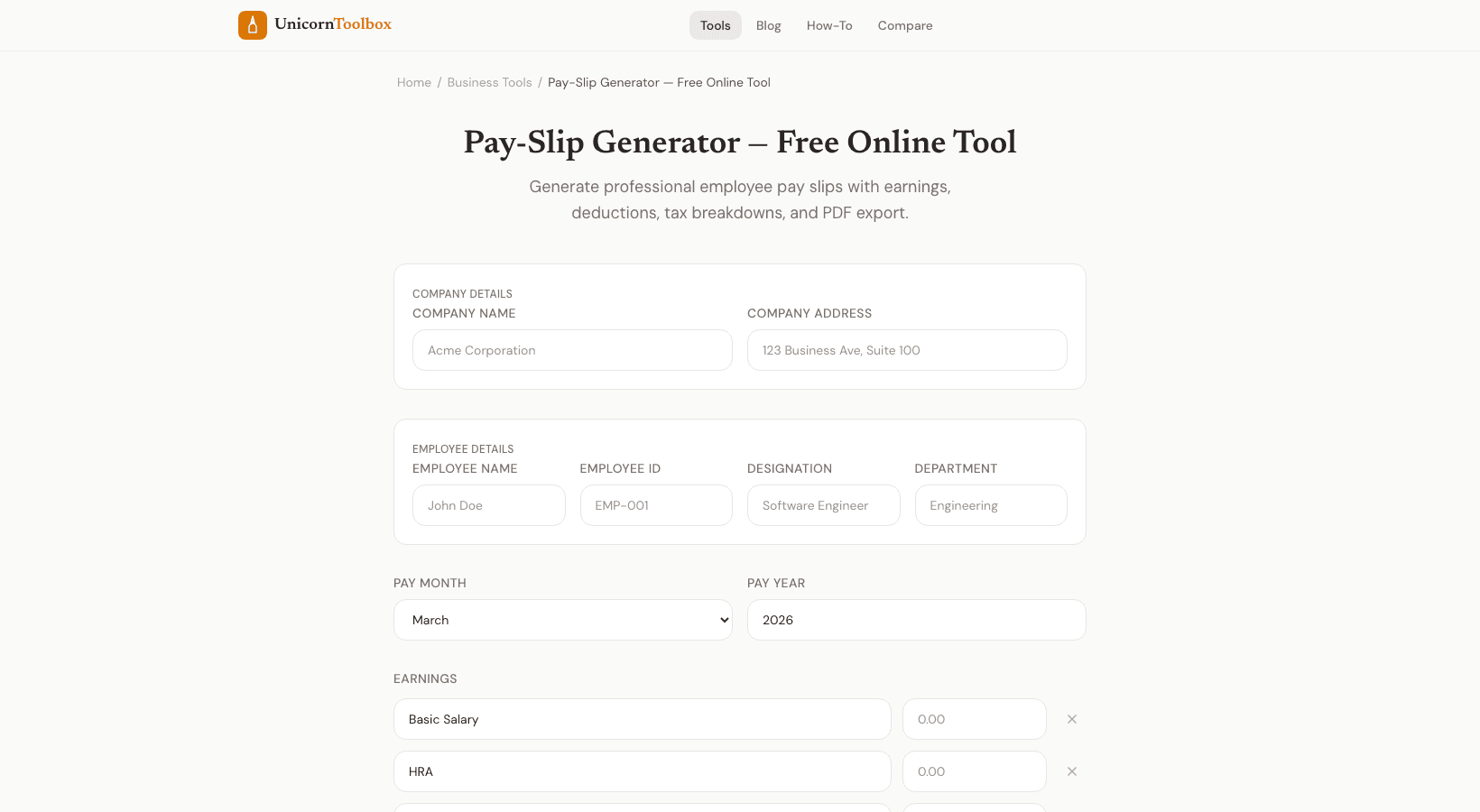
How the Payslip Maker Works Fill out the form with information about the employer and employee, the breakdown of earnings, and the deductions.
You don't have to do any math by hand; the tool does it for you.
View the payslip, make changes, and save it as a high-quality PDF.
I've used this for contract workers who needed proof of income to apply for a loan.
Banks want to see payslips that are formatted correctly.
A quick PDF generator can do that without having to set up a whole payroll system.
When You Need a Payslip Maker If you have a lot of employees, full payroll platforms are great.
But if you're the only founder and you only have one or two part-time employees, or if you're a freelancer who needs to make pay stubs for your own work, a separate payroll system is too much.
This tool fills that space.
You can make pay stubs for any number of employees, as many or as few as you need.
No monthly fee, no setup.
Make it fit your needs Different countries and businesses have different rules about payslips.
You can add your own deduction lines and earnings categories, like commission, travel allowance, and meal stipend.
No matter how many line items you add, the format stays neat and professional.
Make your payslips now Make pay stubs that look professional and are full of information without using payroll software.
Fill in the blanks and get a clean PDF in just a few minutes.
Give it a try for free.